

Data Dumps
Raw economy data dumps for past leagues, made available for community tools and independent economy research on Poe Ninja.
Each league dump combines the softcore and hardcore challenge league together with the matching softcore and hardcore permanent league data from the same time span.
What each dump contains
Every league dump is a zip file holding two semicolon separated CSV files, one for currency data points and one for item data points. Each file contains a single line per item per day, so a typical league produces around nine and a half thousand currency lines and well over two hundred thousand item lines.
League;  Date;       Get;          Pay;        Value;     Confidence
Abyss;   2017-12-09; Exalted Orb;  Chaos Orb;  26.16644;  High
Abyss;   2017-12-10; Exalted Orb;  Chaos Orb;  35.92556;  High
Abyss;   2017-12-11; Exalted Orb;  Chaos Orb;  43.5739;   High
Abyss;   2017-12-12; Exalted Orb;  Chaos Orb;  47.99698;  High
Abyss;   2017-12-13; Exalted Orb;  Chaos Orb;  45.45841;  High
Abyss;   2017-12-14; Exalted Orb;  Chaos Orb;  41.32816;  High
Abyss;   2017-12-15; Exalted Orb;  Chaos Orb;  42.48889;  High
Abyss;   2017-12-16; Exalted Orb;  Chaos Orb;  41.78923;  High
Abyss;   2017-12-17; Exalted Orb;  Chaos Orb;  41.5251;   High
Importing the data
Since each file is a standard semicolon separated CSV, the data can be opened in any spreadsheet tool. In Excel, the From Text/CSV tool found under the Data tab handles the import directly without needing to convert the file first.
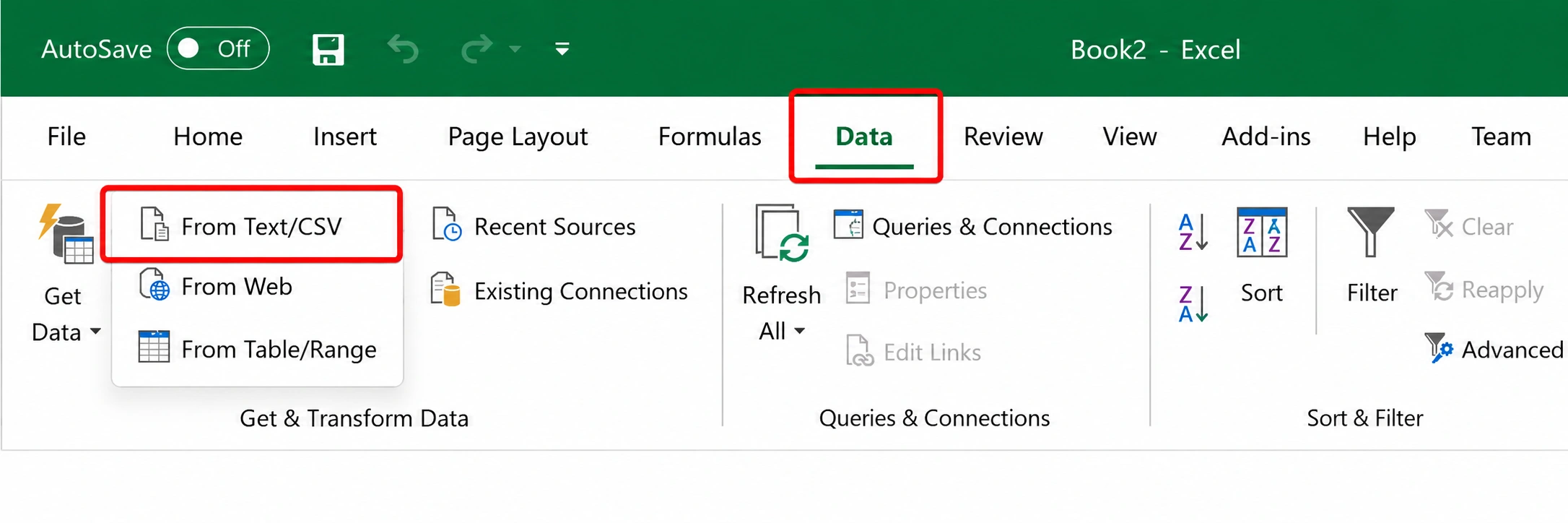
The Data tab in Excel, showing the From Text/CSV import option
The structure of these dumps draws inspiration from the Stack Overflow data dumps and is released under the Creative Commons Attribution ShareAlike license.
Browse league dumps
Search or scroll through every available league below. Each entry opens the matching dump on the official data archive.